
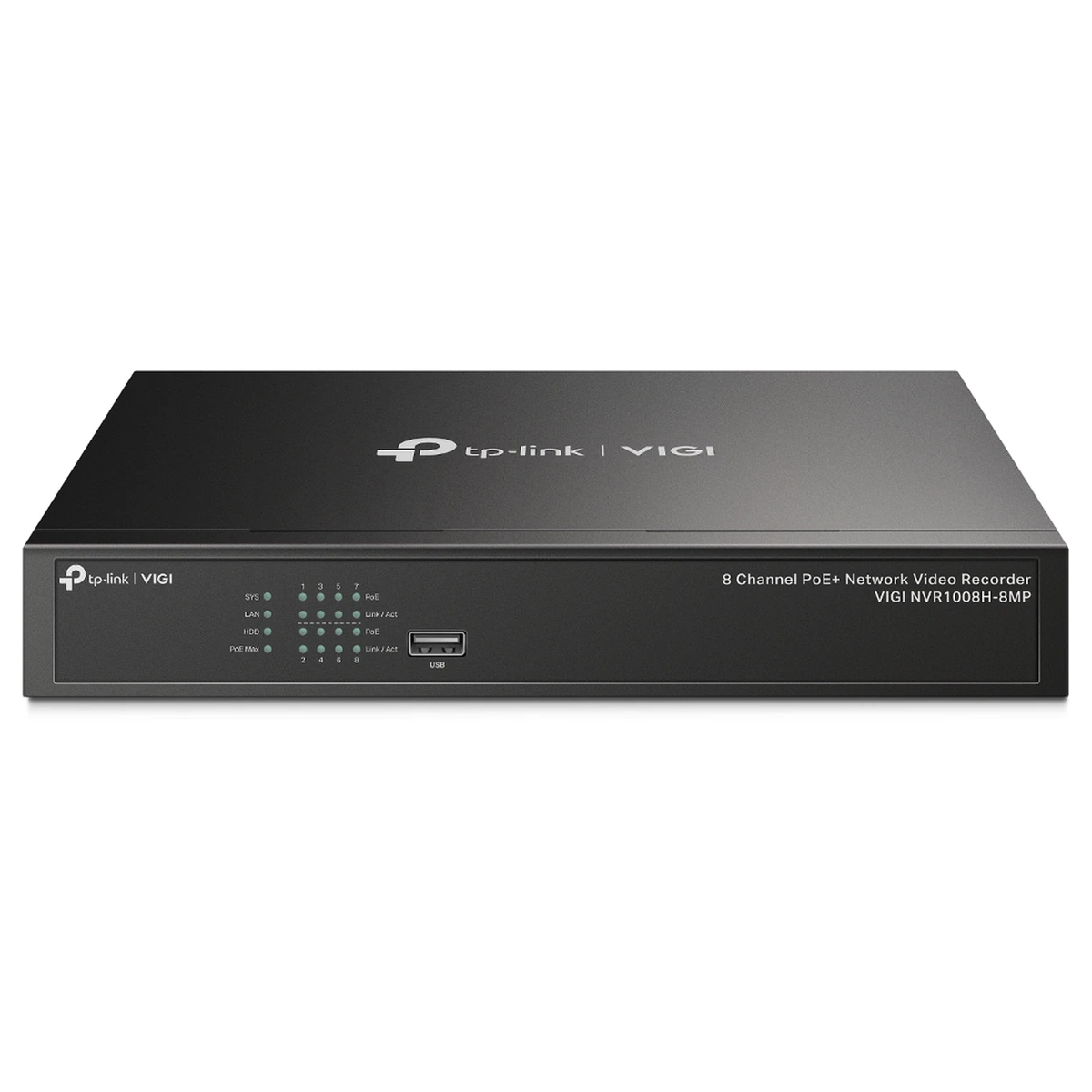
Choosing networking equipment for a business starts with understanding what needs to connect, how those devices communicate and whether they require power through an Ethernet cable.
A small office connecting several computers has different requirements from a CCTV installation with multiple cameras or a business managing wireless access across several floors.
TP-Link offers network switches, Power over Ethernet (PoE) equipment, wireless access points, routers and network management solutions. Each serves a different purpose, and selecting the wrong type can lead to compatibility problems, insufficient network capacity or unnecessary installation costs.
This guide explains how the main networking components work, what specifications matter and how UK businesses, IT resellers and installers can assess equipment before purchasing it.
What Networking Equipment Does a Business Need?
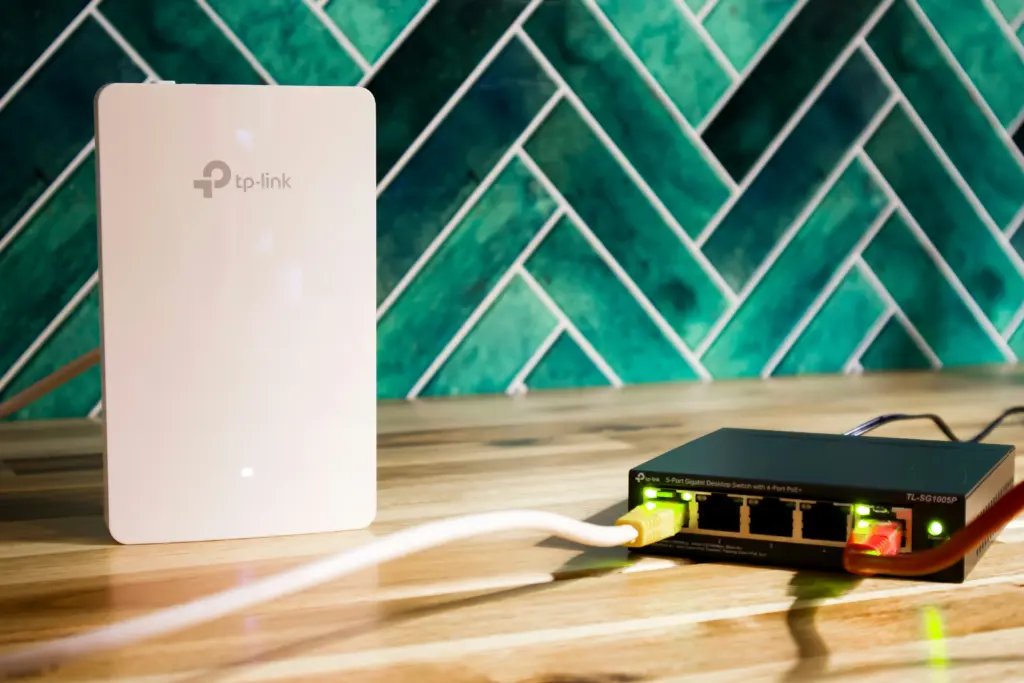
Most business networks use a combination of routers, network switches and wireless access points.
A router connects the local network to other networks, including the internet. A network switch provides wired connections between devices on a local area network (LAN). A wireless access point allows compatible wireless devices to connect to that network.
Although some products combine these functions, they perform different jobs.
| Equipment | Main Function | Common Business Application |
| Router or gateway | Connects networks and handles traffic between them | Internet connectivity, routing and network security |
| Network switch | Connects wired devices within a local network | PCs, printers, servers and network equipment |
| PoE switch | Provides network data and electrical power over compatible Ethernet connections | IP cameras, wireless access points and IP phones |
| Wireless access point | Provides wireless connectivity to a network | Office Wi-Fi, guest access and commercial wireless coverage |
| Network controller | Centrally manages compatible networking devices | Multi-access-point and managed network deployments |
| SFP module or media converter | Provides a compatible network interface or converts between supported media types | Fibre links, switch uplinks and network expansion |
For example, a small office might use a router for internet access, an eight-port switch for wired equipment and two ceiling-mounted access points to provide wireless coverage.
The right combination depends on the number of devices, the layout of the premises, the applications being used and the level of network control required.
How to Choose a TP-Link Network Switch for a Business
A network switch connects devices on the same local network and forwards Ethernet traffic towards the appropriate destination.
Before choosing a TP-Link switch, consider four main factors: port count, network speed, management features and power requirements.
How Many Network Switch Ports Do You Need?
Count every device that needs a physical Ethernet connection, including the connection back to your router or another switch.
A simple example for a small office might include:
| Connection | Ports Required |
| Three desktop computers | 3 |
| One network printer | 1 |
| One wireless access point | 1 |
| One connection to the router | 1 |
| One spare connection | 1 |
| Total | 7 |
An eight-port switch would accommodate these connections, assuming it meets the other technical requirements.
However, port count should not be confused with the number of devices a switch can power. A standard non-PoE switch provides data connectivity but does not supply standard PoE power.
Businesses planning to add more cameras, access points or wired workstations should also consider future port requirements.
Gigabit Ethernet or Faster Networking?
A Gigabit Ethernet switch supports a nominal link speed of up to 1 Gbps per Gigabit port, provided the connected devices, cabling and negotiated connection support it.
This can be sufficient for many office workstations, printers, IP cameras and everyday business applications.
Higher-speed connections, including 2.5 Gigabit Ethernet and 10 Gigabit Ethernet, may be useful where a network handles demanding local traffic, shared storage, high-capacity wireless access points or substantial traffic between switches.
The important point is that a faster switch does not automatically increase the speed of the business’s internet connection.
A business using a 500 Mbps internet service will not obtain a faster internet connection simply by replacing a Gigabit switch with a 2.5 Gigabit model. Faster internal networking may still be useful for local traffic.
Managed vs Unmanaged Switches: Which Is Better for Business?
An unmanaged switch is designed for straightforward wired connectivity without the need for normal user configuration.
A managed switch provides configurable networking functions, although the available features depend on the model.
| Feature | Unmanaged Switch | Managed Switch |
| Basic wired connectivity | Yes | Yes |
| Initial configuration | Usually minimal | Usually required for advanced features |
| Configurable VLANs | Generally not available | Available on suitable models |
| Detailed port monitoring | Usually limited | Model-dependent monitoring and diagnostics |
| Traffic prioritisation | May offer automatic or fixed features | More configurable options on suitable models |
| Centralised management | Usually unavailable | Available on compatible models |
| Typical application | Straightforward network expansion | Networks needing greater control and segmentation |
For a small office that only needs additional Ethernet connections, an unmanaged switch may be suitable.
A business that needs to separate guest traffic from internal systems, manage several switches or monitor network activity should consider a model with the necessary management capabilities.
Not every managed switch has identical features, and some unmanaged switches include fixed functions such as automatic traffic prioritisation. Always check the exact specification rather than relying on the category name alone.
When Does a Business Need a PoE Switch?
A PoE switch provides both network data and electrical power through compatible Ethernet cabling.
Instead of installing a separate mains power connection next to every device, an installer can connect supported equipment directly to the PoE switch.
This is particularly useful for:
- IP surveillance cameras
- Wireless access points
- IP desk phones
- Certain access control devices
- Other compatible network equipment
PoE can reduce the need for separate power supplies at device locations, but the switch must support the correct standard and have enough power capacity.
PoE vs PoE+ vs PoE++
The terms refer to different Power over Ethernet standards and power capabilities.
| Standard | IEEE Specification | Maximum Power Supplied at Source | Maximum Available at Powered Device |
| PoE | 802.3af, Type 1 | 15.4 W | 12.95 W |
| PoE+ | 802.3at, Type 2 | 30 W | 25.5 W |
| PoE++ | 802.3bt, Type 3 | 60 W | 51 W |
| PoE++ | 802.3bt, Type 4 | 90 W | 71.3 W |
The difference between source power and device power accounts for the losses permitted by the standard, including those associated with cabling.
These are standard-level maximums. Individual switches may support fewer PoE types, have lower per-port limits or impose a separate total power budget.
Some equipment uses proprietary passive PoE rather than standard IEEE negotiation. Compatibility must be confirmed before connecting it.
How to Calculate the PoE Power Budget for a Business Network
The PoE power budget is the total power a switch can allocate to connected PoE devices.
It is different from the maximum power available on an individual PoE port.
A switch may have eight PoE+ ports supporting up to 30 W per port but a total power budget considerably lower than 240 W.
This distinction is important for installers planning CCTV systems or networks with multiple wireless access points.
Example: Four CCTV Cameras and Two Wireless Access Points
Consider a hypothetical installation with the following design requirements:
| Device | Quantity | Assumed Maximum Power per Device | Total |
| IP cameras | 4 | 12 W | 48 W |
| Wireless access points | 2 | 18 W | 36 W |
| Total required power | 6 | 84 W |
The calculated device requirement is 84 W.
For initial planning, an installer might allow an additional 25% capacity:
84 W × 1.25 = 105 W
This is a planning allowance, not a requirement imposed by the IEEE standard.
A switch with a 61 W total PoE budget would not meet this example’s calculated 84 W requirement.
A switch with a 153 W total PoE budget could provide sufficient aggregate capacity, provided its individual ports support the devices, the actual power allocation is suitable and the installation meets the manufacturer’s conditions.
For reference, TP-Link specifies a 153 W total PoE budget for the TL-SG1008MP eight-port Gigabit PoE+ switch.
However, that switch has eight physical Ethernet ports in total. If one is used for the router uplink, only seven remain available for connected devices.
An installer who needs eight powered devices plus a separate wired uplink would therefore need a different port arrangement, an additional suitable connection method or a switch with more physical connections.
This is why port count and PoE power budget must be checked separately.
What Else Affects PoE Capacity?
Power consumption can vary depending on the connected equipment and its operating conditions.
For example, some IP cameras draw additional power when infrared illumination, heaters or motors are active.
A suitable PoE design should account for:
- Maximum specified device consumption
- The IEEE or proprietary powering method
- Per-port output limits
- Total switch power budget
- Device power classification and switch allocation behaviour
- Cable quality, distance and losses
- Future equipment additions
The best approach is to obtain the manufacturer’s power specifications for every connected device before finalising the switch.
When Should a Business Use Wireless Access Points?
A wireless access point provides Wi-Fi connectivity to a wired network.
Unlike a typical standalone wireless router, its primary role is to provide wireless access rather than act as the network’s internet gateway.
Business access points are commonly used where a single router cannot provide suitable wireless coverage or where centrally managed wireless networking is required.
Typical applications include offices, warehouses, hotels, education buildings and retail premises.
Wi-Fi 6 vs Wi-Fi 7 for Business Networks
Wi-Fi 6 and Wi-Fi 7 are different generations of wireless networking technology.
Both can support business wireless installations, but the suitable choice depends on device compatibility, traffic requirements, wired network infrastructure and expected equipment lifespan.
Wi-Fi 7 introduces capabilities such as Multi-Link Operation and other improvements, although the available features depend on the access point, client devices and supported frequency bands.
Not every Wi-Fi 7 access point includes a 6 GHz radio.
For example, TP-Link’s EAP723 BE3600 is a dual-band Wi-Fi 7 access point operating on 2.4 GHz and 5 GHz, with a 2.5 Gigabit Ethernet port.
By comparison, the EAP653 is an AX3000 Wi-Fi 6 access point with a Gigabit Ethernet port.
These differences matter when evaluating the complete network, particularly if the planned installation requires multi-gigabit wired connectivity.
Published wireless link rates are not guaranteed internet speeds or real-world application throughput.
Actual performance depends on the number and capabilities of client devices, interference, installation conditions, channel configuration, network design and other factors.
How Many Access Points Does a Business Need?
The correct number cannot be determined reliably from floor area alone.
Wireless coverage is affected by:
- Building layout and wall materials
- Floors and ceiling structures
- Shelving and metal storage equipment
- The number and distribution of connected users
- Wireless interference
- Required application performance
- Access point positioning
- Available wired connections and power
A warehouse with high metal shelving may require a different wireless design from an open-plan office of similar size.
For installations where wireless connectivity is important to business operations, a proper Wi-Fi survey and capacity assessment are preferable to relying solely on advertised coverage figures.
What Is TP-Link Omada and When Is It Useful?
TP-Link Omada is a business networking ecosystem that includes compatible wireless access points, switches, gateways and management options.
It is designed to support network administration across suitable devices, including deployments where several access points or other networking components need to be managed together.
Depending on the equipment, firmware and management platform, Omada can provide functions such as:
- Centralised device configuration
- Network monitoring
- Wireless network and SSID management
- Guest network configuration
- VLAN-related management
- Device firmware administration
- Remote management options
Not every TP-Link product supports Omada management.
An unmanaged TP-Link desktop switch, for example, should not be assumed to work as a centrally managed Omada switch.
Does an Omada Access Point Need a Controller?
Not always.
Compatible Omada access points can operate independently in standalone mode.
However, controller-based management may be needed for particular centralised functions or advanced network features.
TP-Link’s guidance notes that standalone operation has limitations, including the absence of certain centralised management and roaming-related capabilities.
A business using a small number of access points with basic requirements may find standalone management sufficient.
A managed service provider supporting several sites or a business operating a larger wireless installation may benefit from a compatible controller-based deployment.
The correct approach depends on the required features, hardware versions and supported software.
Which TP-Link Networking Equipment Is Suitable for Different Business Uses?
There is no single switch or access point that is suitable for every business.
The most useful way to narrow the options is to start with the application rather than the product name.
| Business Requirement | Equipment to Consider | Important Selection Factors |
| Small office needing more wired connections | Gigabit network switch | Port count, speed and management requirements |
| CCTV installation with multiple IP cameras | PoE switch | PoE standard, power budget, port count and uplinks |
| Office requiring wireless coverage across several areas | Business wireless access points | Coverage design, client capacity, powering and management |
| Business requiring separate guest and internal networks | Compatible managed network equipment | VLAN support, gateway configuration and access-point capabilities |
| Warehouse wireless networking | Suitable business access points | Building materials, coverage survey and device placement |
| Business connecting suitable fibre network interfaces | Compatible SFP modules, switches or media converters | Interface type, speed, wavelength, connector and distance |
| Multi-site network administration | Compatible managed networking ecosystem | Controller support, monitoring, security and remote administration |
Small Office Networking
A small office with a few wired workstations may require little more than a suitable router, Gigabit switch and wireless access point.
An unmanaged switch may be enough when there is no need for configurable segmentation or advanced monitoring.
CCTV and Security Installations
For a CCTV system, the installer should begin by confirming the camera count, power requirements, recorder connectivity and expected network traffic.
A PoE switch can simplify powering compatible cameras, but an eight-port PoE switch should not automatically be treated as suitable for eight cameras plus the required uplink connections.
Camera recording requirements, NVR capacity and local network design must also be considered.
Managed Business Wireless Networks
Where several access points need coordinated configuration, it may be appropriate to evaluate TP-Link’s Omada equipment.
Access-point placement, controller compatibility, switch capabilities and network security should be considered together.
A centrally managed wireless system still needs suitable cabling, power and upstream network capacity.
TP-Link Networking Models: Practical Technical Examples
The following examples illustrate how different product attributes affect business equipment selection.
| TP-Link Model | Equipment Type | Key Technical Attribute | Main Selection Consideration |
| TL-SG1008MP | Eight-port Gigabit PoE+ switch | Eight PoE+ ports, 153 W total budget | All eight Ethernet ports are shared between devices and uplinks |
| LS1210GP | Ten-port Gigabit desktop switch | Eight PoE+ ports, 61 W budget, additional Gigabit RJ45 and SFP connections | Suitable only where total power requirements fit within 61 W |
| EAP653 | Wi-Fi 6 access point | AX3000 class, Gigabit Ethernet, 802.3at PoE | Consider wired speed, powering and management requirements |
| EAP723 | Wi-Fi 7 access point | BE3600 dual-band, 2.5 Gigabit Ethernet, 802.3at PoE | Requires a suitable supporting network to benefit from multi-gigabit connectivity |
| EAP225-Outdoor | Indoor/outdoor access point | Gigabit Ethernet, dual-band Wi-Fi 5, IP65-rated enclosure | Confirm installation conditions, powering and hardware version |
These specifications describe the referenced models and may vary by hardware revision or regional version.
They do not establish whether a particular model is suitable for an installation without checking the complete network requirements.
Common Mistakes When Choosing Business Networking Equipment
Selecting a Switch With Insufficient Ports
A switch’s stated port count includes physical connections that may be needed for uplinks.
Leaving no provision for an upstream connection, recorder, server or future device can lead to unnecessary equipment changes.
Choosing PoE Equipment by Port Count Alone
Eight PoE-capable ports do not mean that the switch can deliver maximum PoE+ power through all eight simultaneously.
Always check the total power budget as well as the per-port output.
Assuming Every TP-Link Device Supports Omada
TP-Link produces both standalone and centrally manageable networking equipment.
Confirm that the exact model and hardware version support the intended management platform.
Using an Unsuitable Access Point
A wireless access point should be selected according to its environment, connected devices, wireless requirements and management capabilities.
A model intended for indoor deployment should not be assumed suitable for exposed outdoor conditions.
Overlooking Ethernet Uplink Speed
A high-capacity access point connected through a slower Ethernet link may be constrained by that connection.
Where multi-gigabit networking is required, the complete wired path needs to support the intended speeds.
Misunderstanding Long-Distance PoE Modes
Certain TP-Link switches advertise extended PoE transmission distances using dedicated operating modes.
These modes can reduce Ethernet data rates. For example, TP-Link states that the LS1210GP’s Extend Mode reduces affected ports to 10 Mbps.
An installer should therefore check both the claimed transmission distance and the corresponding bandwidth limitations.
Business Networking Equipment Checklist Before Purchasing
Before ordering equipment for an office, customer installation or resale project, confirm the following information.
| Requirement | What to Check |
| Product identification | Exact manufacturer model, part number and hardware revision |
| Business application | Whether the equipment meets the intended networking requirements |
| Ethernet connections | Total ports, PoE-capable ports and uplink connections |
| Network speed | Required Ethernet speeds and compatible interfaces |
| PoE requirements | Supported standard, total budget and per-port limits |
| Wireless capability | Wi-Fi generation, supported bands and expected client requirements |
| Management | Standalone, managed or Omada controller compatibility |
| Cabling | Suitable cable category, link distance and installation conditions |
| Installation | Indoor/outdoor suitability, mounting, ventilation and power |
| Security | Required VLANs, access controls and available firmware support |
| Expansion | Expected additional devices and future capacity |
| Procurement | Model quantities, lead time, warranty information and commercial terms |
For businesses sourcing multiple units, identifying the exact model and specifications is especially important.
Similar-looking networking products can have different PoE budgets, management capabilities or Ethernet interfaces.
A consistent equipment specification helps resellers, installers and procurement teams avoid ordering products that do not meet the requirements of the intended deployment.
Planning Bulk TP-Link Networking Equipment Requirements
Businesses buying networking equipment in commercial quantities should prepare a clear list of product and technical requirements before requesting a quotation.
Useful information includes the manufacturer part numbers, required quantities, intended applications and any technical constraints that affect compatibility.
For instance, an installer supplying equipment for several office locations might need different combinations of PoE switches and wireless access points depending on each site’s number of devices, power requirements and network layout.
A reseller purchasing for stock may instead be concerned with model identification, regional specification, packaging, warranty arrangements and reliable product documentation.
For both types of buyer, a complete requirements list can make product comparisons and supplier discussions more useful.
Kapra Falconeri provides a TP-Link networking equipment catalogue for UK trade customers covering switches, access points, routers and networking accessories.
Business buyers can review the listed range and apply for a trade account to access the company’s trade purchasing process. Minimum order requirements and commercial terms should be confirmed for the relevant products.
Frequently Asked Questions
Can a PoE Switch Connect to Devices That Do Not Use PoE?
Yes. A standards-compliant active PoE switch can normally provide Ethernet data connectivity to compatible non-PoE devices without supplying PoE power to them.
This relies on proper PoE detection and negotiation. Proprietary passive PoE equipment should be checked separately.
Does a Business Need a Managed Network Switch?
Not necessarily. An unmanaged switch may be suitable for straightforward wired connectivity.
A managed switch becomes more relevant when the business needs configurable VLANs, network monitoring, traffic controls or other features supported by the selected model.
Can a PoE Switch Provide Power to Any Wireless Access Point?
No. The access point’s supported power input must be compatible with the switch or power source.
Check the required PoE standard, power consumption, cable requirements and any alternative power methods.
Does a Network Switch Provide an Internet Connection?
A network switch connects devices on a local network. It does not normally replace the router or gateway responsible for connecting that network to an internet service.
Is Wi-Fi 7 Always Better Than Wi-Fi 6 for a Business?
Not in every installation.
Wi-Fi 7 introduces additional capabilities, but the practical benefits depend on the access point, connected devices, wireless environment and supporting wired infrastructure.
A suitable Wi-Fi 6 installation may meet a business’s requirements without needing an upgrade.
Should Businesses Replace Wireless Extenders With Access Points?
That depends on the application.
A wireless extender can improve coverage in certain situations, but a wired access point is often a more appropriate option where a business needs planned coverage, predictable backhaul capacity or centralised network management.
The correct choice depends on the building and network requirements.
What Information Should a Business Provide When Requesting a Bulk Networking Quotation?
A useful enquiry should include manufacturer part numbers, quantities, required specifications, delivery destination and any relevant project or procurement requirements.
Where the equipment is intended for an installation, it is also helpful to identify PoE requirements, network management needs and compatibility constraints.
Conclusion
Choosing TP-Link networking equipment for a business is not simply a matter of selecting the switch with the most ports or the access point with the highest advertised wireless speed.
The important considerations are how the devices will be used, what they need to connect to, how much power they require and whether the network can support the intended installation.
For wired networks, check Ethernet speeds, port availability and management requirements. For PoE installations, calculate the total power budget and confirm individual device compatibility. For wireless networks, consider coverage, client requirements, cabling and network management before selecting access points.
Taking these steps before procurement can help UK resellers, installers and business buyers identify equipment that fits their technical requirements.
Source TP-Link Networking Equipment for Your Business
Kapra Falconeri supplies networking and technology products to UK business customers, including resellers, installers and other commercial buyers.
Whether you are sourcing switches for resale, PoE equipment for CCTV installations or wireless access points for business projects, having accurate product requirements and quantities will help make the procurement process more straightforward.
Explore Our TP-Link Product Range
Apply for a Kapra Falconeri Trade Account




💬 Join the Discussion